 HTML Template
Product overview
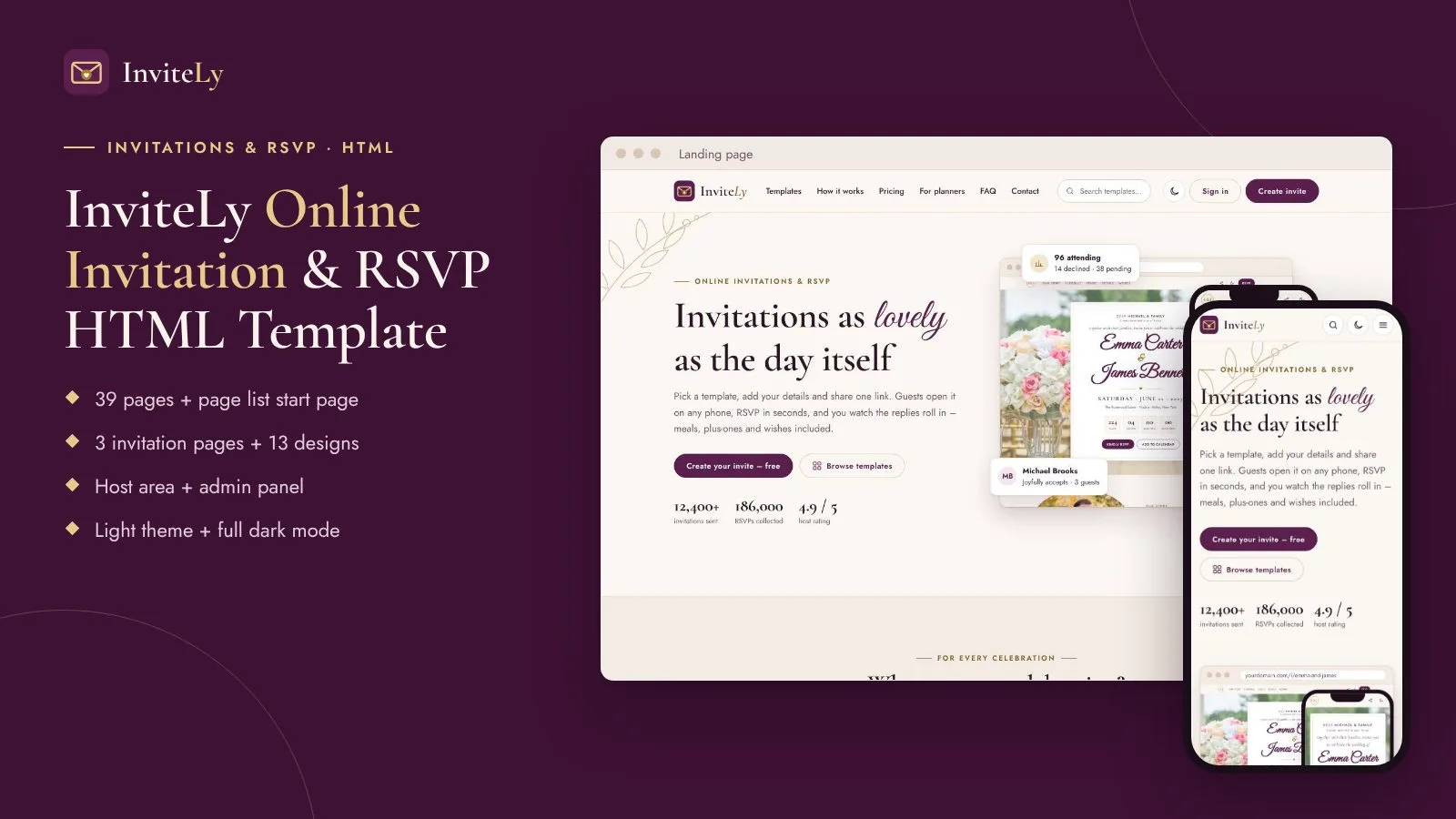
Invitation & RSVP HTML template: 39 pages, wedding, birthday + baby shower invites, host area, admin, light + dark.
Frequently bought together
Item details
Platform
Files included
.html .css JavaScript .js .json .svg .webp Documentation
HTML / CSS framework
Custom CSS
Programming language
JavaScript HTML/CSS
Version
1.0.0
Support & inquiry
Description
InviteLy – a complete front end for an online invitation website
InviteLy is an elegant Online Invitation & RSVP HTML template: a public website to present invitation designs, invitation pages that guests open and reply on (wedding, birthday, baby shower), a host area to edit, share and track an invitation, and a full admin panel. Plain HTML5, two CSS files and one small vanilla JavaScript file – light theme by default with a full dark mode.
Preview (screenshots of every page): https://demo.anowhosting.com/html/invitely/ – each page in light, dark, laptop and phone view.
Public website
A landing page with an invitation shown on a laptop and a phone, event types, how it works, features, pricing, reviews and FAQ – plus a templates gallery with filters, a template preview page, pricing with invite packs, sign in / sign up and contact.
Invitation pages guests love
Three complete invitation designs – Rosewood (wedding), Confetti Pop (birthday) and Little Star (baby shower) – with personal greeting, countdown, schedule, venue, details, FAQ, an RSVP form and guestbook wishes. Plus an RSVP thank-you page and private, closed and ended states. The gallery shows 13 designs for 8 event types.
Light + full dark mode
Every page has a light and a dark theme. The choice is remembered per browser and applied before the page paints, so there is no flash.
Guests and RSVP results
A guest list with groups and seats, send-invitations and CSV import panels, and an RSVP results page with totals, meal counts, a weekly chart, dietary needs and messages.
Editor with a live preview
The host dashboard, my invites, a create-invite flow, an editor with section switches and a live phone preview, a guestbook screen and a share page with link, message and QR code.
Checkout and billing screens
Checkout for a Premium invite or invite packs with card, PayPal and bank transfer options, billing address and order summary with sales tax – plus billing history and a profile page. Front-end screens ready for your payment provider.
An admin panel for everything
Dashboard, hosts, invites, templates with a template editor, event categories, orders with bank transfers to approve, pricing and packs, pages, and every settings screen: general, appearance colours, payment gateways, email, social networks, app (PWA) and languages.
Clean on every screen
Checked from 360 px phones to 1920 px screens in both themes, with a burger drawer, a "More" menu, an off-canvas panel menu and tables that turn into cards on phones.
Pages included
- Public website: landing, templates gallery, template preview, pricing, sign in + sign up, contact, offline page
- Invitation pages: wedding (Rosewood), birthday (Confetti Pop), baby shower (Little Star), RSVP thank-you, private / closed / ended
- Host area: dashboard, my invites, create invite, editor, guests, RSVP results, guestbook, share, checkout, billing, profile
- Admin panel: dashboard, hosts, invites, templates, template edit, categories, orders, pricing, pages, general settings, appearance, payment gateways, email, social networks, app (PWA), languages
What you get
- The template folder: 39 pages, page list, assets (CSS, JS, fonts, icons), placeholder images, web app manifest and service worker
- Documentation (documentation/index.html)
- Licences for the fonts
The preview shows free stock photos; the download uses neutral placeholder images with the same names and sizes, and the documentation lists every preview photo with its free photo page.
Need it working? See the InviteLy script – the full application built on this design.
Support and updates
Support covers questions about the template files and bugs in the item. Custom development is not included.
Core features
Pages
- 39 pages + page list start page
- Public website: landing, templates gallery, template preview, pricing, sign in / sign up, contact, offline page
- 3 invitation pages (wedding, birthday, baby shower) + RSVP thank-you + private / closed states
- 13 invitation designs in the gallery for 8 event types
- Host area: 11 screens
- Admin panel with 16 screens
Design
- Light theme by default + full dark mode (no flash on load)
- Plum + gold + ivory colour scheme – every colour is a CSS custom property
- Responsive from 360 px to 1920 px, tables as cards on phones
- Self-hosted fonts (Jost, Cormorant Garamond, Great Vibes) and inline SVG icons
Components
- Live countdown, RSVP form with thank-you state, guestbook wishes
- Laptop and phone frames with a live invitation preview
- Tabs, chips, switches, filters, charts, KPI cards, data tables, QR code block
- Calm motion that switches off for reduced-motion visitors, or with one attribute
Code
- Plain HTML5, two CSS files, one small vanilla JavaScript file – no framework, no build step
- Valid, well-commented code
- Installable web app demo: manifest, service worker, offline page
- Full HTML documentation
Server requirements
- Any web hosting or static hosting – no PHP, database or Node needed
- A code editor to change the HTML and CSS
- Latest Chrome, Edge, Firefox or Safari (desktop and mobile)
- HTTPS for the installable web app (service worker) demo
Installation instructions
Use the template
- Unzip the package and open invitely-html/index.html – it lists every page.
- Change colours and fonts in assets/css/invitely.css (section 2 "Tokens") and the invitation colours in assets/css/invite.css.
- Replace the placeholder images in images/ with your own photos under the same names.
- Connect the forms to your backend (see the documentation).
- Upload the contents of invitely-html/ to your hosting.
Full guide: documentation/index.html.
Changelog
1.0.0 – November 2026
- Initial release
Reviews
Based on 0 reviews