Web
- Home
- Products
- Multimedia
- Music
- Anow HD Radio 2.0 – Radio Station Websit...
Anow HD Radio 2.0 – Radio Station Website (Laravel) with Sticky Live Player, Now Playing, Song Requests & Flutter Radio App
Web
0 sales
Updated Oct 31, 2026
Product overview
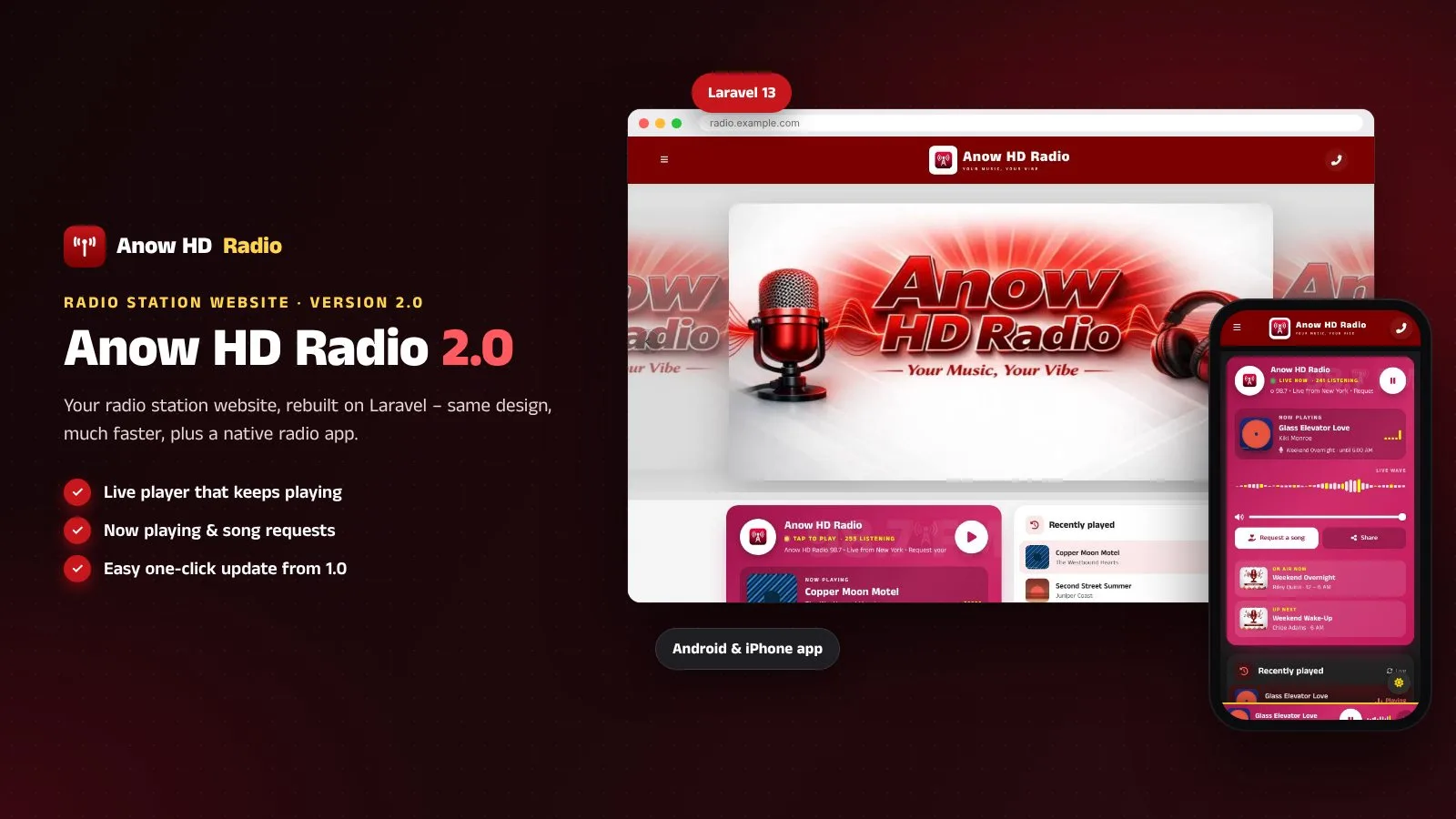
Radio station website on Laravel: live player that keeps playing, now playing, song requests, schedule and a Flutter radio app.
Frequently bought together
Item details
Category
Platform
Files included
.php .html .css JavaScript .js .json .dart .kt .svg composer.json .blade.php pubspec.yaml .env example Documentation
Compatible with
PHP 8.3 PHP 8.4 Android 8+ iOS 15+ Flutter 3.x Android Studio
Software framework
Laravel Flutter
Database
MySQL 5.7 MySQL 8.0 MySQL 8.4 LTS MariaDB 10.x MariaDB 11.x SQLite 3.x
HTML / CSS framework
Custom CSS
Programming language
PHP JavaScript Kotlin Dart HTML/CSS
Version
2.0.0
Support & inquiry
Description
Anow HD Radio 2.0 - your station, always on air
Anow HD Radio is a complete website for one radio station: a live player with a sticky footer bar that keeps playing while listeners browse, a sound-reactive wave, now playing and recently played songs, song requests and dedications, the weekly program schedule with the show on air, on-air crew and team profiles, hero slides, ads, pages, a contact inbox and one admin panel in light and dark.
Version 2.0 is Anow HD Radio rebuilt on Laravel 13 with the same design - much faster. Owners of 1.0 update in place: upload 2.0 over the same folder, open the site and press "Update to 2.0" - programs, crew, images, settings and the admin login are kept, and old links redirect. New: a Flutter radio app for Android and iPhone with background playback, lock-screen controls and a sleep timer.
Live demo
- Demo website – press Play, then open other pages: the radio keeps playing
- Song request page
- Program schedule
- Admin demo (one click) – manual login at /radio_admin: admin / admin123
- Demo Android app (APK)
- Documentation · App guide
A player that never stops
- Clear Connecting, Buffering and Live states with automatic reconnect
- Sound-reactive wave that follows the real audio (gentle animation when the stream sends no CORS header)
- Now playing with artwork, recently played list, show on air now and up next, Request and Share buttons
- Check stream button in the admin: audio type and CORS header in one click
Keeps playing while listeners browse
- After Play a slim player bar stays at the bottom of every page
- Pages open without a reload, so the sound never stops
- Play / pause, volume, request and a close button; safe on phones
Song requests and dedications
- Request form on the website and in the app; "My requests" with live status
- Approve, mark as played or decline with your own reasons - one by one or in bulk
- Rules: on / off, only during live shows, chosen programs, limits, blocked words, keep days
- Optional push message to app listeners when the status changes (OneSignal)
Programs, hosts and team
- Weekly schedule with the LIVE badge; shows that run past midnight are handled
- On-air crew profiles with their shows, team members, social links
- Hero slides, ads with dates and click counts, your own pages, contact form
One admin panel, light and dark
- Every text, colour (with presets), image and setting - the 1.0 admin you know
- New: Now Playing (Icecast, Shoutcast, AzuraCast, stream metadata), Song Requests, Radio App, PWA, Social Media with icon upload
- Languages with auto-translate, e-mail (SMTP), page cache, automatic backups, activity log, one-click updates
Easy update from 1.0
- Upload 2.0 over the same folder, open the site, press "Update to 2.0"
- Same database, same images, same admin username and password
- Old addresses (program.php?slug=..., radio_admin/...) redirect with 301 - nothing else to do
Radio app for Android and iPhone
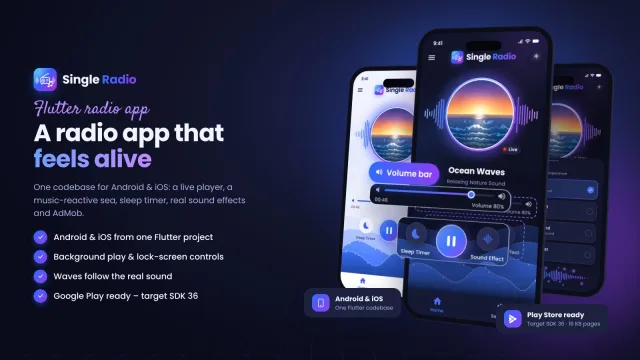
- Flutter source code with its own step-by-step guide
- Background playback with lock-screen, notification, Control Center, Bluetooth and car controls
- Sleep timer, now playing, programs, hosts, song requests, pages, contact, light and dark
- Name, logo, colours and texts come from your admin - no rebuild for changes
Made for phones
- Every page fits phones from 360 px, in light and dark
- Installable web app (PWA) with an offline page
- Fast: page cache, local fonts and icons, WebP images
What you get
- The complete Laravel script with the vendor folder and a browser installer (MySQL / MariaDB or SQLite) - start empty or with the demo station
- The in-place updater for version 1.0 sites
- The Flutter radio app source code (Android and iPhone) with its own guide
- Illustrated HTML documentation: updating from 1.0, installation (cPanel, VPS, Windows), cron, the player and CORS, now playing, song requests, every admin area, OneSignal, PWA, languages, SEO, demo mode and updates
- Demo station: 14 hosts, 17 programs covering every hour of the week, sample songs by invented artists, song requests and a sample stream made for the demo
Core features
Website
- Live player with sticky footer bar, sound-reactive wave, reconnect, Media Session controls
- Now playing and recently played (Icecast, Shoutcast, AzuraCast, ICY metadata); optional artwork lookup
- Song requests and dedications with live status
- Weekly schedule with LIVE badge, on-air crew and team profiles, hero slides, ads, pages, contact form
- Light and dark mode, installable web app (PWA), social links, cookie banner
Admin
- Light and dark admin; every text, colour, image and setting
- Now Playing, Song Requests, Radio App (app key, push, maintenance, versions), Social Media manager
- Languages with auto-translate, SEO and sitemap, e-mail (SMTP), page cache, backups, activity log, one-click update
Radio app (Flutter)
- Android and iPhone source; background playback, lock-screen controls, sleep timer, song requests, optional OneSignal push
System
- Laravel 13, PHP 8.3+, browser installer, in-place update from 1.0 with 301 redirects
- CSRF, login lock-out, safe uploads, encrypted secrets, demo mode
Server requirements
- PHP 8.3 or newer (8.3, 8.4)
- MySQL 5.7+ / 8.x or MariaDB 10.3+ (or SQLite 3)
- PHP extensions: pdo (pdo_mysql or pdo_sqlite), mbstring, openssl, tokenizer, xml, ctype, json, fileinfo, curl, gd
- Apache with mod_rewrite (cPanel, Plesk, DirectAdmin), LiteSpeed or Nginx; Windows with XAMPP / Laragon
- Your own stream (Icecast, Shoutcast, AzuraCast or any MP3 / AAC / OGG stream), https recommended
- One cron job every minute (optional)
- No Composer, Node or SSH needed - the vendor folder is included
- Radio app: Flutter 3.44+, Android Studio; a Mac with Xcode for iPhone; OneSignal account for push (optional)
Installation instructions
Updating from 1.0
- Back up your files and your database.
- Upload the contents of the anowhdradio folder into the folder where 1.0 is installed and allow the files to be replaced.
- Open your website and press "Update to 2.0". Sign in at /radio_admin with your 1.0 login.
New install
- Create an empty MySQL / MariaDB database and user and select PHP 8.3 or newer.
- Upload the anowhdradio folder and point your domain to its public folder - or upload its contents into public_html (with the hidden .htaccess).
- Open your domain: the installer checks the server, asks for the database and your station, and lets you start empty or with the demo station.
- Optional cron job:
* * * * * cd /path/to/anowhdradio && php artisan schedule:run - Sign in at /radio_admin.
Full steps with screenshots: documentation/index.html. Radio app: documentation/app.html.
Changelog
2.0.0 – October 2026
Major update: rebuilt on Laravel.
- Rebuilt on Laravel 13 (PHP 8.3+) with the same design, pages, admin and settings as 1.0 - much faster (page cache, local fonts and icons, WebP images).
- Easy update from 1.0: upload 2.0 over the same folder, open the site, press "Update to 2.0" - same database, images and admin login; old links redirect (301).
- New sticky footer player: the radio keeps playing while listeners open other pages.
- New sound-reactive wave; fixed player states with automatic reconnect.
- New Now Playing and recently played (Icecast, Shoutcast, AzuraCast, stream metadata).
- New song requests and dedications with admin review and live status for listeners.
- New radio app for Android and iPhone (Flutter source): background playback, lock-screen controls, sleep timer, optional push.
- New browser installer, admin dark mode, installable web app (PWA), social media manager, languages with auto-translate, e-mail settings, backups, activity log, one-click updates.
- Security hardening throughout.
1.0.0
First release (PHP).
Reviews
Based on 0 reviews