
 HTML Template
Product overview
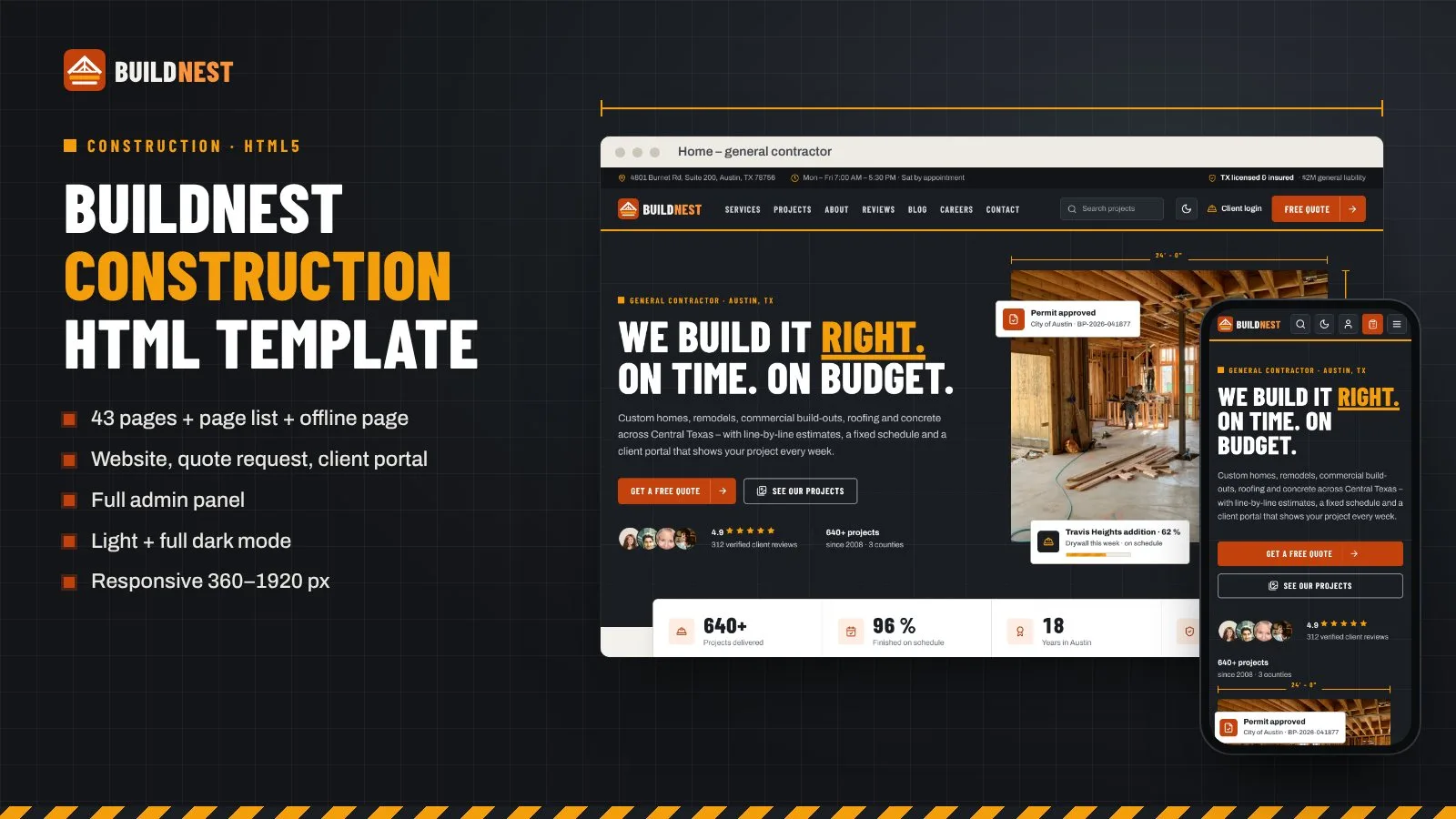
Construction company HTML template: website, 6-step quote request, client portal, estimates, invoices, admin, dark mode.
Frequently bought together
Item details
Platform
Files included
.html .css JavaScript .js .json .svg Documentation
HTML / CSS framework
Custom CSS
Programming language
JavaScript HTML/CSS
Version
1.0.0
Support & inquiry
Description
BuildNest – a complete front end for a construction company or general contractor
BuildNest is a modern construction company HTML template for general contractors, home builders, remodelers, roofers, concrete and commercial build-out companies. It covers the public website with services, a project portfolio with before / after sliders, about and team, reviews, blog and careers, a 6-step quote request, a client portal with project progress, site photos, documents, estimates with online approval, invoices and payment, and a full admin panel with leads, an estimate builder, projects, invoices and settings. Plain HTML5, one CSS file and one vanilla JavaScript file – light theme by default with a full dark mode.
Live demo: https://anowdemo.com/html/buildnest/ – browse every page of the template, switch between light and dark mode, drag the before / after slider, approve or decline estimate options and try it on your phone.
Show your best work
A strong construction look – charcoal, ember and safety amber, condensed uppercase headlines, blueprint grids, hazard stripes and dimension lines on photos. Home page with stats, services, featured projects, before / after, a 5-step process, reviews and an install-app block; services and a service detail page with stages, FAQ and a price / timeline card; a portfolio with filters and a neighborhood map; project detail with a before / after slider and a gallery by week; about and team with licences and insurance, testimonials, blog, careers with an apply form and contact.
A 6-step free quote flow
Project type, size and scope, budget range and timeline, photos and plans upload, contact details and a done page with a reference number, next steps and a link to the client portal.
Clients follow their build
A client dashboard with a progress ring and stage bar, money summary, latest site photos and what is waiting for the client; a 9-stage project timeline with this week's checklist, team, budget with change orders and inspections; site photos by week, documents (contract, plans, permits, change orders) and messages with the project team.
Approve and pay online
An estimate with materials and labor per line, optional lines the client approves or declines with a live total, sales tax on taxable materials, a deposit and a typed signature; progress invoices with a printable invoice view and a payment page with card, PayPal, Paystack, Razorpay and bank transfer with receipt upload. One-time payments – no auto-renew.
Light + full dark mode
Every page and panel has a light and a dark theme. The choice is remembered per browser and applied before the page paints, so there is no flash; the default theme is a single attribute.
Run every project
An admin dashboard with leads, open quotes, active projects, revenue, invoiced vs collected chart, lead sources, pipeline and money waiting; leads and quote requests with detail, assign, site visit and convert to project; projects with a stage editor, photo upload and client-visible documents; invoices with a payment log, bank receipts to approve and check / cash payments; clients.
Built for contractors
An estimate builder with groups, materials / labor lines, options, tax and deposit percentages and a margin check; services and portfolio editor; blog and careers; brand and colours with six presets, colour pickers and an AA contrast check; payment gateways with webhook URLs; tax and general settings with US sales tax by state; social networks with "Add network"; and app (PWA) settings.
Clean on every screen
Checked from 360 px phones to 1920 px screens in both themes: a 60 px top bar on phones with the icons and the menu button at the right edge, a phone drawer, a "More" menu, a slide-in side menu for the portal and admin, and tables that become cards on phones.
Pages included
- Public website: home, services, service detail, projects portfolio, project detail, about and team, testimonials, blog, blog post, careers, job detail and apply, contact, client login, offline page
- Quote request: project type, size and scope, budget and timeline, photos and plans, contact details, done
- Client portal: dashboard, project progress and timeline, site photos, documents, estimate approval, invoices and payments, invoice detail, messages, pay
- Admin panel: dashboard, leads and quote requests, estimate builder, projects, project detail, invoices and payments, clients, services and portfolio, blog and careers, brand and colours, payment gateways, tax and general settings, social networks, app (PWA)
- Extra: page list start page and offline page
What you get
- The template folder: 43 pages, page list, offline page, assets (CSS, JS, fonts, logos, app icons), placeholder images
- Documentation (documentation/index.html)
- Licences for the icons and fonts
The live demo shows free Pexels photos; the download uses neutral placeholder images with the same names and sizes, and the documentation lists every demo photo with its free download page.
Need it working? See the BuildNest script – the full application built on this design.
Support and updates
Support covers questions about the template files and bugs in the item. Custom development is not included.
Version history
1.0.0 – November 2026 – Initial release.
Core features
Pages
- 43 pages + page list start page + offline page
- Public website, 6-step quote request, client portal, admin panel
- Project portfolio with before / after slider and gallery by week
- Client portal with progress, site photos, documents, estimates, invoices, messages and payment
- Admin dashboard, leads, estimate builder, projects, invoices, clients, portfolio, blog and careers, settings
Design
- Light theme by default + full dark mode (remembered per browser, no flash on load)
- Charcoal + ember + safety amber colour scheme – every colour is a CSS custom property
- Construction details: blueprint grids, hazard stripes, dimension lines, numbered eyebrows
- Responsive from 360 px to 1920 px, phone drawer, "More" menu, slide-in side menu
- Self-hosted fonts (Barlow Condensed, Archivo) and inline SVG icons
- US sample data: USD, sales tax on materials, US addresses and dates
Interactions
- Before / after drag slider
- Estimate approve / decline with live total, tax and deposit
- Estimate builder deposit percentage
- Option cards, chips, tabs, switches, FAQ
- Admin colour presets and pickers with automatic readable button text
- Add social network, count-up numbers, reveal on scroll
Code
- Plain HTML5, one CSS file, one vanilla JavaScript file – no framework, no build step
- Commented code with a "how to change colours and fonts" guide in the CSS
- Installable web app demo: manifest, service worker (static files only), offline page, install prompt and iPhone hint
- Neutral placeholder images with the size written on each one
- Full HTML documentation
Server requirements
- Any web hosting or static hosting – no PHP, database or Node needed
- A code editor to change the HTML and CSS
- Latest Chrome, Edge, Firefox or Safari (desktop and mobile)
- HTTPS (or localhost) for the installable web app demo
Installation instructions
Use the template
- Unzip the package and open buildnest-html/index.html – it lists every page.
- Change colours and fonts in assets/css/buildnest.css (the tokens block at the top).
- Replace the placeholder images in images/ with your own photos under the same names.
- Connect the forms and the quote request to your backend (see the documentation).
- Upload the contents of buildnest-html/ to your hosting.
Full guide: documentation/index.html.
Changelog
1.0.0 – November 2026
- Initial release: 43 pages + page list + offline page; public website, 6-step quote request, client portal, admin panel; light + dark mode, installable web app demo, documentation.
Reviews
Based on 0 reviews