Web
- Home
- Products
- PHP Scripts
- Real Estate
- DreamHomes – Laravel Real Estate Listing...
DreamHomes – Laravel Real Estate Listing Portal with Paid Plans, Multi-Currency & 5 Payment Gateways
Web
0 sales
Updated Oct 20, 2026
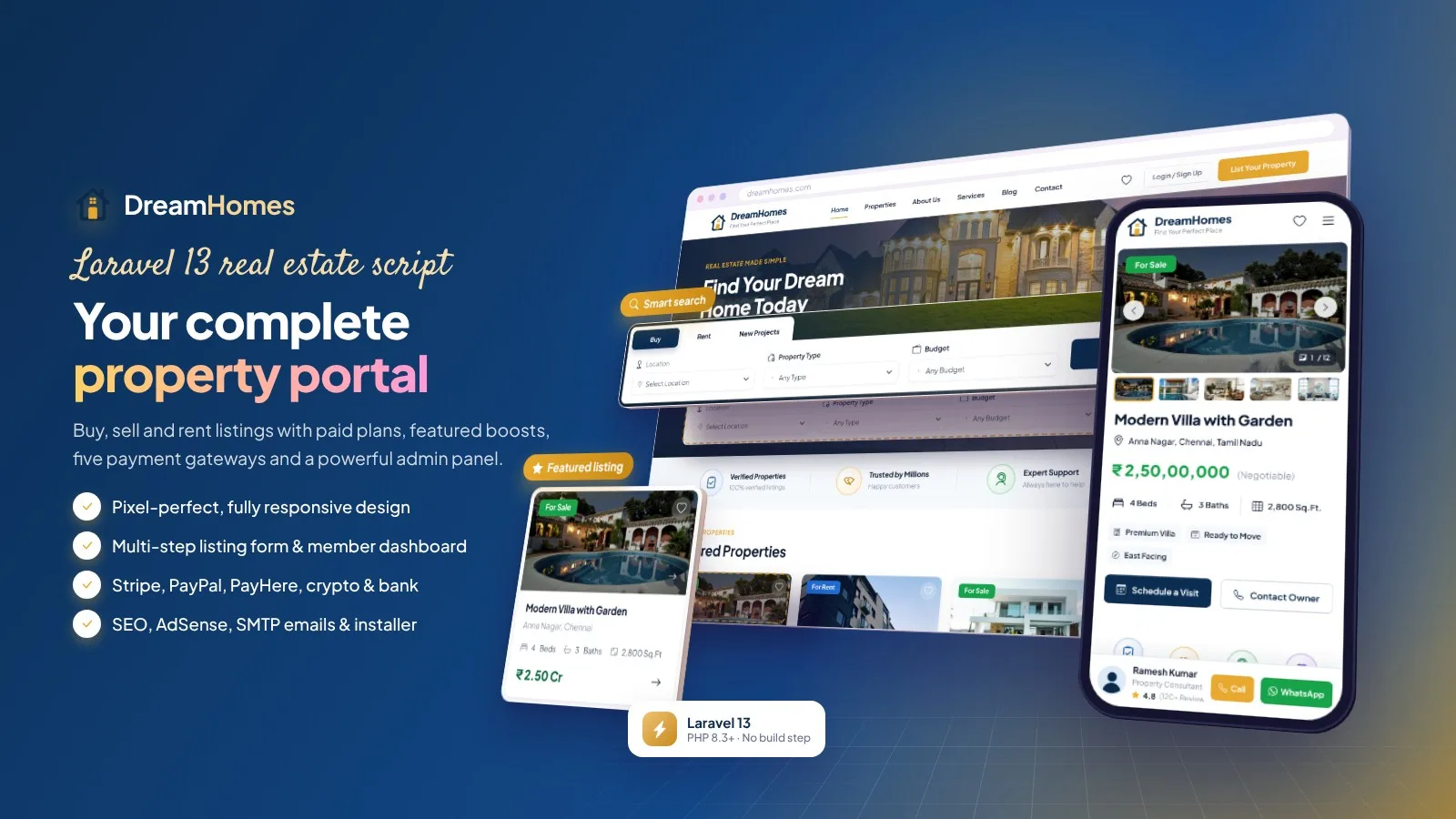
Product overview
Real estate portal for sale, rent and new projects: 3-step listing form, 11 search filters, paid plans and boosts, Stripe, PayPal, PayHere, crypto and bank transfer, multi-currency, SEO, AdSense and a web installer. Laravel 13.
Frequently bought together
Item details
Category
Platform
Files included
.php .html .css JavaScript .js .json .svg .md composer.json .blade.php .env example Documentation
Compatible with
PHP 8.3 PHP 8.4
Software framework
Laravel
Database
MySQL 5.7 MySQL 8.0 MySQL 8.4 LTS MariaDB 10.x MariaDB 11.x
HTML / CSS framework
Custom CSS
Programming language
PHP JavaScript HTML/CSS
Version
1.0.1
Support & inquiry
Product demo
Description
DreamHomes — a complete real estate portal in one Laravel script
DreamHomes lets you launch your own property listing website for sale, rent and new projects: owners, agents and builders list properties with a 3-step form, visitors search with 11 filters, save homes and book site visits, and you earn from paid listing plans, featured boosts and Google AdSense. Payments by Stripe, PayPal, PayHere, 200+ cryptocurrencies and bank transfer, prices in any currency, and a fully responsive admin panel. Built on Laravel 13 with a browser installer.
Live demo — one click, no typing
- Website: https://dreamhomes.anowhosting.com/
- Admin panel (one-click login): https://dreamhomes.anowhosting.com/demo/admin
- Member dashboard (one-click login): https://dreamhomes.anowhosting.com/demo/member
A home page that converts
Hero search with Buy, Rent and New Projects tabs and budget brackets, trust badges, featured properties, why-choose-us and the latest blog articles. Hero text and photo are editable in the admin panel.
Search and filters that find the right home
- City, locality, type, budget, price range, bedrooms, furnishing, facing, amenities and verified-only filters
- Sorting, wishlist with heart icon and side-by-side compare
Property pages with every detail
Gallery with lightbox, price breakdown, overview facts, amenities, Google map, floor plan, nearby places, EMI calculator, reviews, Schedule a Visit, Contact Owner, Call and WhatsApp buttons and schema.org data.
Easy 3-step listing form
Property details, personal details and review, with drag-and-drop photos, dependent state, city and locality lists and prices in any active currency. Admin approval or auto-publish with automatic emails.
Paid plans and boosts that earn money
- Stripe, PayPal, PayHere, 200+ cryptocurrencies via NOWPayments and bank transfer with receipt approval
- Coupons, tax, printable invoices and expiry reminders
- Every payment verified server-side with signed notifications
A dashboard members love
My properties with status, enquiries and site visits with WhatsApp reply, saved homes, plans and payments, profile and password. Google and Facebook login.
A powerful, responsive admin panel
Dashboard with revenue chart, moderation with bulk actions, users and agents, payments, plans, coupons, currencies, locations, blog, pages, 15 email templates, SMTP, SEO, AdSense, social login, roles and an activity log.
Your brand, set up in minutes
- 8 colour presets with live preview, logos and favicon
- Browser installer with the vendor folder included
- Changeable admin folder name and two-step admin login
What you get
- Complete Laravel 13 website with vendor folder and web installer
- Demo content, illustrated documentation and automated tests
Support and updates
Support covers installation, configuration and bugs in the item. Server administration and custom development are not included.
Demo note: the live demo runs in demo mode — saving and deleting are disabled in the admin panel.
Core features
Website
- Home page with hero search (Buy, Rent, New Projects), trust badges, featured properties, why-choose-us and blog
- Property listing page with 11 filters, sorting, pagination and SEO-friendly city and type pages
- Property details: gallery with lightbox, price breakdown, amenities, map, floor plan, nearby places, EMI calculator, reviews, similar properties
- Schedule a Visit and Contact Owner forms, Call and WhatsApp buttons, share and wishlist
- About, services, contact, FAQ, pricing, agents, agent profile, blog and custom pages
- Pixel-perfect responsive design with mobile bottom navigation
Owners, agents & builders
- Registration with email and phone, Google and Facebook login, optional email verification
- 3-step listing form with drag-and-drop photos, dependent location lists and price in any currency
- Member dashboard: my properties, mark sold or rented, enquiries and site visits, saved homes, compare, plans, invoices, profile
Plans & payments
- Unlimited plans with listing, featured and photo limits, duration and verified badge
- Paid featured boost per property, coupons, tax and printable invoices
- Stripe Checkout, PayPal, PayHere, 200+ cryptocurrencies via NOWPayments and bank transfer with receipt approval
- Secure payments: signed notifications, closed without a secret, server-side check of order, amount and currency, each payment can complete one order only
- Multi-currency with exchange rates, Indian (lakh/crore) or international number format
Emails
- SMTP settings with a test button and 15 branded HTML templates editable in the admin panel
SEO & ads
- Meta tags, Open Graph, Twitter cards, schema.org (RealEstateAgent, Product, Breadcrumb, BlogPosting, FAQ)
- Dynamic sitemap.xml, robots.txt, Google Analytics 4 and Search Console
- Google AdSense slots on home, search, property and blog pages with automatic ads.txt
Admin panel
- Fully responsive dashboard with revenue chart
- Property moderation with reasons, bulk actions, featured and verified switches
- Users and agents, enquiries, reviews, payments, plans, coupons, currencies, states, cities, localities, property types, amenities
- Blog, pages, testimonials, FAQs, contact messages, subscribers CSV export, email templates
- Theme colours with 8 presets and live preview, logos, hero images, maintenance mode, custom code
- Main administrators and managers, activity log
Security
- Changeable admin folder name, two-step admin login (email code), rate limits
- CSRF, XSS filtering, re-encoded image uploads, PHP blocked in uploads, security headers
- Demo mode with one-click demo logins for a safe public demo
Code
- Laravel 13 (PHP 8.3+): MVC, migrations, seeders, Blade views, services, 52 automated tests
- Browser installer, vendor folder included, no Composer, Node.js or SSH needed
- Translation ready (Spanish example included)
Server requirements
- Web hosting with PHP 8.3 or newer (8.3, 8.4) and MySQL 5.7+ / 8.x or MariaDB 10.4+
- PHP extensions: pdo_mysql, mbstring, openssl, tokenizer, xml, ctype, json, fileinfo, gd, curl
- Apache or LiteSpeed with mod_rewrite (cPanel, hPanel, Plesk, DirectAdmin) or Nginx
- No Composer, Node.js or SSH needed — all libraries are included
- Optional: SSL certificate, cron job, SMTP account, Stripe / PayPal / PayHere / NOWPayments accounts, Google and Facebook apps for social login
Installation instructions
Install
- Create an empty MySQL database and a user with all privileges in your hosting panel, and select PHP 8.3 or newer.
- Upload the contents of the product folder to your domain folder (e.g. public_html).
- Open your-domain.com/install: the web installer checks the server, creates the tables and your admin account (optional demo content) and lets you choose the admin folder name.
- Log in to the admin panel and set your logo, colours, contact details, email (SMTP), payment gateways, currencies and social login in Settings.
- Add the cron job shown in the documentation for plan reminders and clean-up.
Updates
- Upload the new files over the old ones (keep .env, storage and public/uploads) and follow the update note.
The illustrated step-by-step guide (cPanel, sub-folder, VPS / Nginx, SMTP, payments, Google / Facebook login, currencies, SEO, AdSense, security, demo mode, troubleshooting) is in documentation/index.html.
Changelog
Version 1.0.1
- One-click demo access: /demo/admin and /demo/member sign visitors in with a single click in demo mode
- Demo login buttons on both login pages and a demo bar on the website
- Demo accounts are created or repaired automatically
- Fixed the plain-text part of outgoing e-mails
Version 1.0.0
- Initial release
Reviews
Based on 0 reviews