Web
- Home
- Products
- PHP Scripts
- SaaS
- SubNest - Subdomain & Business E-mail St...
SubNest - Subdomain & Business E-mail Store Script (Sell Subdomains, DNS Manager, Cloudflare / cPanel / Route 53, Mailboxes) - Laravel 13
Web
0 sales
Updated Oct 29, 2026
Product overview
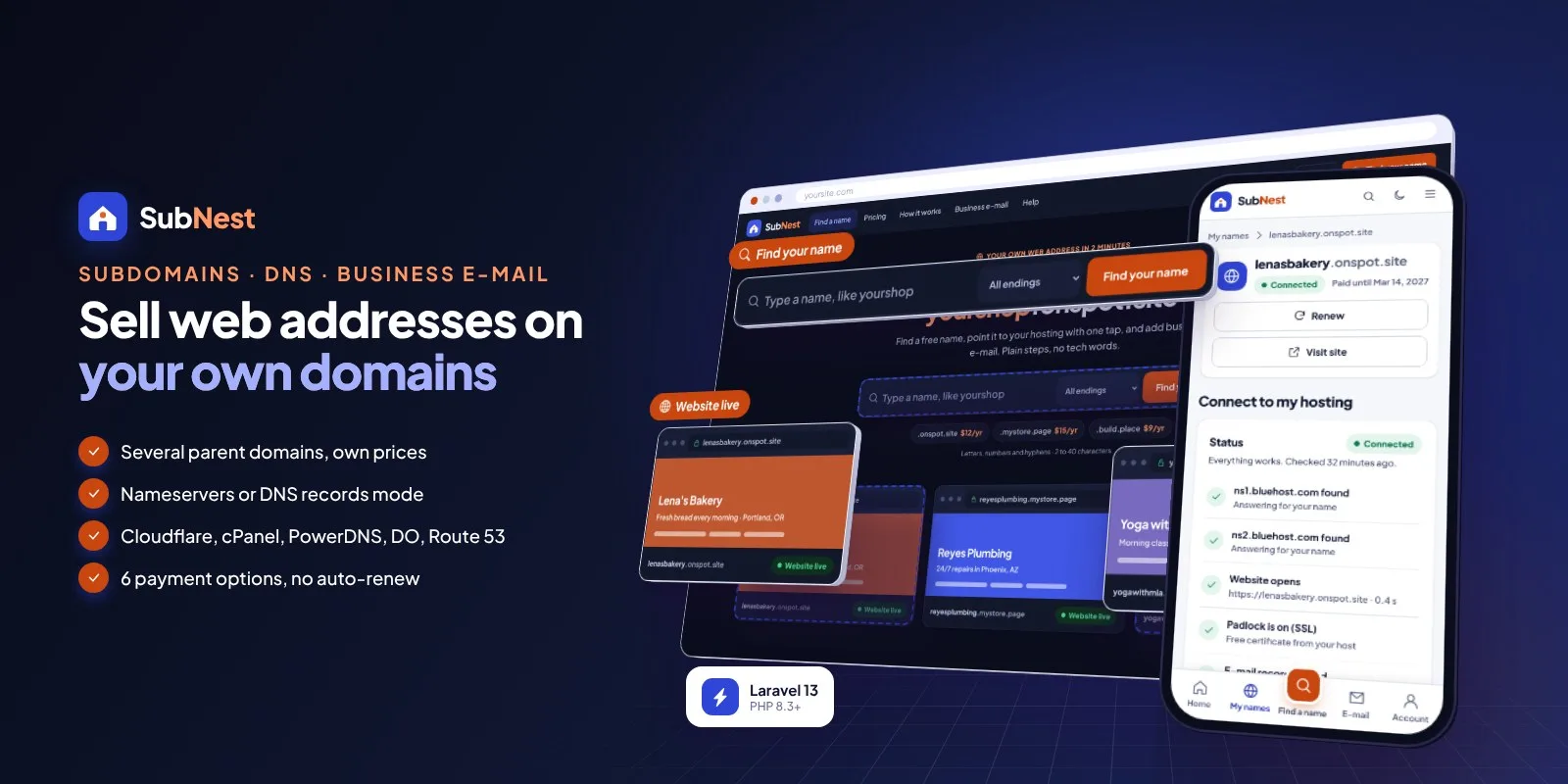
Sell subdomains on your own domains and business e-mail: Cloudflare, cPanel, Route 53 DNS, mailboxes, renewals, 6 gateways.
Frequently bought together
Item details
Category
Platform
Files included
.php .html .css JavaScript .js .json .svg composer.json .blade.php .env example Documentation
Compatible with
PHP 8.3 PHP 8.4
Software framework
Laravel
Database
MySQL 5.7 MySQL 8.0 MySQL 8.4 LTS MariaDB 10.x MariaDB 11.x SQLite 3.x
HTML / CSS framework
Custom CSS
Programming language
PHP JavaScript HTML/CSS
Version
1.0.0
Support & inquiry
Product demo
Description
SubNest - your own subdomain and e-mail shop
SubNest turns the domains you own into a web address shop. Customers search for a name, pay for a year and get their own address under your domain - shop.yoursite.com - then point it at their own hosting in one tap. You can also sell business e-mail: mailboxes on their new name (info@shop.yoursite.com) or on your main domain (john@yoursite.com).
Sell names under several parent domains at once, each with its own price, short and premium names, approval mode and DNS connection: Cloudflare, cPanel, PowerDNS, DigitalOcean DNS or Amazon Route 53. Mailboxes are created on cPanel or Mailcow, or addresses simply forward with Cloudflare Email Routing. Customers connect a name with nameservers (host presets, "add it to your cPanel" steps) or manage DNS records right here, with a status checker that tells them when the website is live.
Built on Laravel 13 (PHP 8.3+) with a browser installer - the vendor folder is included, no Composer, Node.js or SSH needed. Phone-first on every screen, light theme by default with a full dark theme; every colour, text, price and limit is editable in the admin.
Every demo below opens with one click - no typing needed.
- Demo website URL: https://subnest.anowhosting.com/
- One-click customer demo URL (Lena Park: names, connect to hosting, e-mail): https://subnest.anowhosting.com/demo-login/customer
- One-click admin (owner) demo URL: https://subnest.anowhosting.com/demo-login/owner
- One-click admin demo URL: https://subnest.anowhosting.com/demo-login/admin
- One-click support demo URL: https://subnest.anowhosting.com/demo-login/support
- Public documentation: https://subnest.anowhosting.com/codester/docs/index.html
- Demo logins (password "password"): Owner dana@northwindweb.example, Admin chris@northwindweb.example, Support priya@northwindweb.example, Customer lena@lenasbakery.example
Every ending, one search
- Visitors type a name and see it on every parent domain at once - available or taken, with the price per year
- Short names (2-3 letters) and premium names with their own price
- More ideas when a name is taken, a cart and one checkout for several names and an e-mail package
Point a name to any host in one tap
- Nameservers mode: host presets (Bluehost, Hostinger, SiteGround, Namecheap, A2 Hosting - editable) or two nameservers typed in
- A live status check: nameservers found, website opens, padlock on, e-mail records found
- "Add it to your cPanel" step cards, and the e-mail records to copy when the name runs at their host
A DNS editor for every name
- DNS records mode: A, AAAA, CNAME, MX, TXT and SRV - each type explained in one line
- Records go live through your DNS connection, with TTL limits and a maximum per name
- E-mail records are added and locked automatically when the customer buys mail
Business e-mail on their own name
- E-mail packages (Starter, Business, Team - all editable) per month or year
- Mailboxes on the customer's name or on your main domain, forwarders, away message, storage bars, webmail
- IMAP / SMTP settings for phones and Outlook with copy buttons
Five DNS and three mail connectors
Cloudflare (recommended), cPanel, PowerDNS, DigitalOcean DNS and Amazon Route 53 for names; cPanel, Mailcow or forwarding only (Cloudflare Email Routing) for e-mail. Each one has a Test button, keys are stored encrypted, and the documentation walks through every provider step by step - from adding the domain and changing nameservers to creating the API token.
Six ways to pay - no auto-renew
- Names per year, e-mail per month or year; reminders (30 / 14 / 7 / 1 days) with a pay link, then grace, pause and release - all editable
- Stripe, PayPal, Paystack, PayHere, Razorpay and bank transfer with receipt upload and approval
- Verified on the server, signed webhooks that fail closed, US sales tax by state and invoices
Stop phishing names before they pay
- Built-in protected brands and phishing words with look-alike detection (paypa1, g00gle)
- Your own blocked, watched (approval) and reserved words; approval mode per parent domain
- Public abuse report form and a report queue: dismiss, ask the owner or pause the name
One admin panel
Dashboard with names sold, revenue, expiring names, mailboxes, connection health and what needs attention; parent domains, connections, subdomains (pause, move, change paid-until, notes, CSV), approvals, blocked words, abuse reports, customers, e-mail packages and mailboxes, payments, gateways, sales tax, settings, colours and theme, languages with auto-translate, e-mail templates, SEO, staff roles (owner, admin, support), activity log, backups, demo mode and update upload.
What you get
- The complete script with the vendor folder and browser installer (MySQL / MariaDB or SQLite)
- Optional demo data: the sample business Northwind Web selling names on three sample parent domains, Lena's Bakery and other customers, about 3,000 customers, 5,200 names, 2,100 mailboxes and a year of payments
- Illustrated HTML documentation with a step-by-step guide for every DNS and mail provider, payments and webhooks, the Public Suffix List and the customer side
Good to know
- One installation is one website for one business. You sell names under domains you own; SubNest is not a domain registrar for new top-level domains.
- You bring the DNS provider (Cloudflare's free plan works) and, for mailboxes, a cPanel account or a Mailcow server.
- Names and e-mail are period-based: one payment buys a year (names) or a month / year (e-mail), and nothing is charged automatically. Online payments need your own merchant accounts.
- English is bundled; other languages are added in the admin.
- The demo people, businesses, domains and numbers are sample content; in the demo, connections run in sample mode.
Requirements at a glance
PHP 8.3+, MySQL 5.7+ / MariaDB 10.3+ (or SQLite), Apache, LiteSpeed or Nginx, a cron job and at least one domain of your own. No Composer, Node.js or SSH needed.
Support and updates
Support covers installation, configuration and bugs in the item. Server administration, DNS, mail or merchant accounts and custom development are not included.
Core features
Names
- Several parent domains, each with its own DNS connection, price, short-name price, length limits and approval switch
- Premium names with their own price; live availability on every parent domain; more ideas; cart and checkout
- Nameservers mode with host presets, DNS records mode (A, AAAA, CNAME, MX, TXT, SRV), status checker every 10 minutes
- Protected brands, phishing words, look-alike detection, blocked / watched / reserved words, approvals, abuse reports
DNS & e-mail connections
- Cloudflare API, cPanel API, PowerDNS, DigitalOcean DNS, Amazon Route 53 - Test button, encrypted keys
- cPanel mail, Mailcow API, forwarding only (Cloudflare Email Routing)
- E-mail packages per month or year, mailboxes on the customer's name or your main domain, forwarders, away message, webmail, phone settings
Revenue
- Names per year, e-mail per month or year - no auto-renew, reminders with a pay link, grace, pause and release
- Stripe, PayPal, Paystack, PayHere, Razorpay, bank transfer - verified on the server, signed fail-closed webhooks
- US sales tax by state, invoices, refunds of rejected names recorded
Admin & setup
- Dashboard, subdomains (pause, move, paid-until, notes, CSV), customers, mailboxes, payments
- Owner, admin and support roles with sections per person, activity log
- Website texts, pages (acceptable use, terms, privacy), FAQ, SEO, sitemap
- Light and dark themes, colour presets plus custom colours with automatic button text contrast
- SMTP with branded e-mail templates; languages with a translation editor and auto-translate (DeepL, Google, LibreTranslate), currencies
- Browser installer, demo mode with one-click logins, backups, maintenance mode, changeable admin path, update upload
Server requirements
- PHP 8.3 or newer (8.3, 8.4)
- MySQL 5.7+ / 8.x or MariaDB 10.3+ (SQLite 3 for local tests)
- PHP extensions: pdo (pdo_mysql or pdo_sqlite), mbstring, openssl, tokenizer, xml, ctype, json, fileinfo, curl, gd, zip
- Apache with mod_rewrite (cPanel, Plesk, DirectAdmin), LiteSpeed or Nginx; Windows with XAMPP / Laragon
- One cron job every minute (Task Scheduler on Windows)
- At least one domain of your own whose DNS is at Cloudflare, a cPanel server, PowerDNS, DigitalOcean or Amazon Route 53
- For mailboxes: a cPanel account or a Mailcow server (or forwarding only with Cloudflare)
- HTTPS recommended (webhooks)
- No Composer, Node.js or SSH needed - the vendor folder is included
- Accounts you bring: DNS provider, payment gateway merchant accounts and SMTP; optional translation key
Installation instructions
Install
- Create an empty MySQL / MariaDB database and user in your hosting panel and select PHP 8.3 or newer.
- Upload the subnest folder and point your domain to its public folder - or upload its contents straight into public_html (with the hidden .htaccess files).
- Open your-domain.com: the browser installer checks the server, asks for the database and creates your site and owner account (demo data optional, imported in short steps so shared hosts do not time out).
- Sign in at /login, set up your DNS connection (Cloudflare is the easiest), add your parent domains with their prices, the mail connection and e-mail packages, switch on your payment gateways and set up SMTP.
- Add the cron job
* * * * * cd /path/to/subnest && php artisan schedule:runfor renewal reminders, DNS status checks, mailbox usage and backups.
Updates
- Back up, upload the update zip in Admin › Update (or copy the new files over the old ones; .env, storage and public/uploads are kept), then click Run update - your data is kept.
The illustrated guide (cPanel, VPS / Nginx, Windows, the installer, cron, Cloudflare, cPanel API, PowerDNS, DigitalOcean, Route 53, cPanel mail with Email Deliverability, Mailcow, forwarding, parent domains and prices, blocked words and approvals, payments with webhooks, SMTP, the Public Suffix List and the customer side) is in documentation/index.html and online at https://subnest.anowhosting.com/codester/docs/index.html.
Changelog
1.0.0 – October 2026
- First release: names on several parent domains with prices, short and premium names; nameserver and DNS-records modes with a status checker.
- DNS connections: Cloudflare, cPanel, PowerDNS, DigitalOcean, Amazon Route 53. Mail connections: cPanel, Mailcow, forwarding only.
- E-mail packages with mailboxes, forwarders and phone settings; renewals with reminders, grace, pause and release.
- Stripe, PayPal, Paystack, PayHere, Razorpay and bank transfer; US sales tax; invoices.
- Blocked, watched and reserved words with built-in lists, approvals, abuse reports.
Reviews
Based on 0 reviews