 Android
- Home
- Products
- App Templates
- Android
- Bus Blast - Bus Parking Puzzle Android G...
Bus Blast - Bus Parking Puzzle Android Game (Kotlin + Jetpack Compose, 1000 Levels, AdMob, In-App Purchases)
Android
0 sales
Updated Oct 26, 2026
Product overview
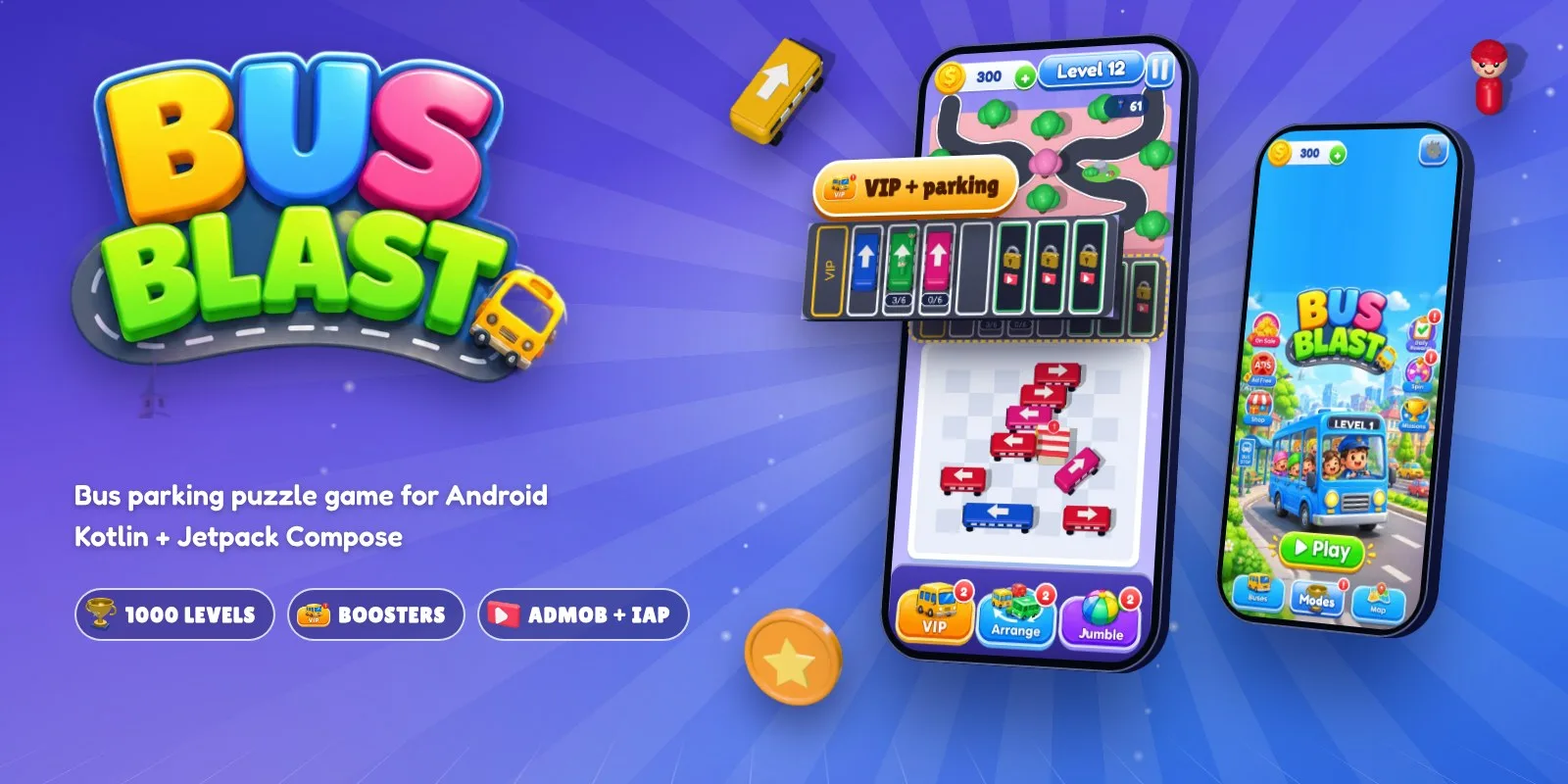
Bus parking puzzle for Android in Kotlin + Compose: 1000 levels, crowd boarding, VIP booster, AdMob and in-app purchases.
Frequently bought together
Item details
Category
Platform
Files included
.html .apk .xml .kt .kts .gradle.kts .aab .webp Documentation
Compatible with
Android 8+ Android 14 Android 15 Android Studio
Software framework
Jetpack Compose
Programming language
Kotlin
Version
1.1.0
Support & inquiry
Description
Bus Blast - a complete bus parking puzzle game for Android
Bus Blast is a ready-to-publish bus jam / parking puzzle written in Kotlin with Jetpack Compose. Players tap a bus whose road is free; it drives to the parking and the passengers of its colour run and jump on. It targets API 36, ships with 1000 levels, 3 boosters, AdMob with Google consent and Google Play Billing. Open it in Android Studio, change the name, IDs and artwork, and publish.
Live demo
- Download the demo APK
- Demo page with screens and features
- Documentation
Tap, park and board
Buses stand straight and tilted in a real jam. A blocked bus rolls forward, bumps and honks. Hundreds of passengers wait on two roads in one-colour groups, and nobody knows which colour comes next.
VIP, Arrange and Jumble
- VIP: send any bus to the gold VIP spot, even a blocked one; its colour jumps in from anywhere in the line
- Arrange: brings the right passengers to the front
- Jumble: shuffles the colours of the buses on the board
1000 levels, harder every time
Bigger boards, more colours and longer crowds. "?" buses show their colour only when their road is free, and garages send out the next bus with a surprise colour. Every level is checked to be solvable by an automated test.
Players come back every day
7-day daily rewards, a free lucky spin, three daily missions, coins for every win, bus styles to unlock and a 3D toy train between levels.
Monetization built in
AdMob banner, interstitial (every 2 levels) and rewarded ads with the Google User Messaging Platform consent flow. Rewarded videos unlock parking spots and give free boosters. Play Billing 9.1 for coin packs and Remove Ads.
Easy to reskin
Backgrounds, logo, buttons and 3D sprites are plain image files; every gameplay number is in one GameConfig object.
What you get
- Full Android Studio project (Kotlin, Jetpack Compose, Gradle version catalog)
- Artwork, 180 3D sprites, original sound effects and music, launcher icon
- Unit tests (all 1000 levels) and a screenshot generator
- Detailed HTML documentation
Support and updates
Support through the store item page covers setup, configuration and bugs in the item. Custom development is not included.
Core features
Gameplay
- 1000 levels built from the level number, every one solvable
- Buses at 8 angles in packed jams; blocked buses bump and honk
- Two crowd roads with one-colour groups of up to 70 people
- "?" mystery buses and bus garages with surprise colours
- Gold VIP spot + 7 parking spots, 3 unlocked with a video or coins
- Classic, Daily Challenge (3x coins) and Time Rush modes
Boosters & rewards
- VIP, Arrange and Jumble boosters
- Daily rewards, lucky spin, daily missions, 3 stars per level
- Bus Garage with 4 roof styles
- 3D toy train with whistle between levels
Monetization
- AdMob adaptive banner, interstitial and rewarded ads
- Google UMP consent (GDPR and US states)
- Google Play Billing 9.1: coin packs and Remove Ads
Technical
- Kotlin 2.4, Jetpack Compose, AGP 9.4, target SDK 36, min SDK 24
- Smooth on low-end phones: cached layers and pre-scaled sprites
- Progress saved with DataStore; crash report screen for testers
- Unit tests and a screenshot generator
Server requirements
- Android Studio (current stable) with Android SDK Platform 37 and Build Tools 36
- JDK 17 or newer (bundled with Android Studio)
- Gradle wrapper included (Gradle 9.6, AGP 9.4.1)
- Runs on Android 7.0 (API 24) and newer
- Optional: Google AdMob account, Google Play Console
Installation instructions
- Unzip the package and open the
sourcefolder in Android Studio. - Let Gradle sync, then press Run. The game starts with Google's test ads.
- Change the app name in
res/values/strings.xmlandapplicationIdinapp/build.gradle.kts. - Put your AdMob IDs and product IDs in
res/values/ads_config.xml. - Tune gameplay in
GameConfigand replace the artwork inres/drawable-nodpiif you want. - Create your keystore, fill
keystore.propertiesand run./gradlew bundleRelease.
Everything is explained step by step in documentation/index.html.
Changelog
Version 1.1.0
- Initial release
Reviews
Based on 0 reviews