 Android
- Home
- Products
- App Templates
- Flutter
- Single Radio – Android, iOS & Web Radio...
Single Radio – Android, iOS & Web Radio App with PHP Admin Panel (Live Streaming Radio Script)
Android
1 sales
Updated Oct 23, 2026
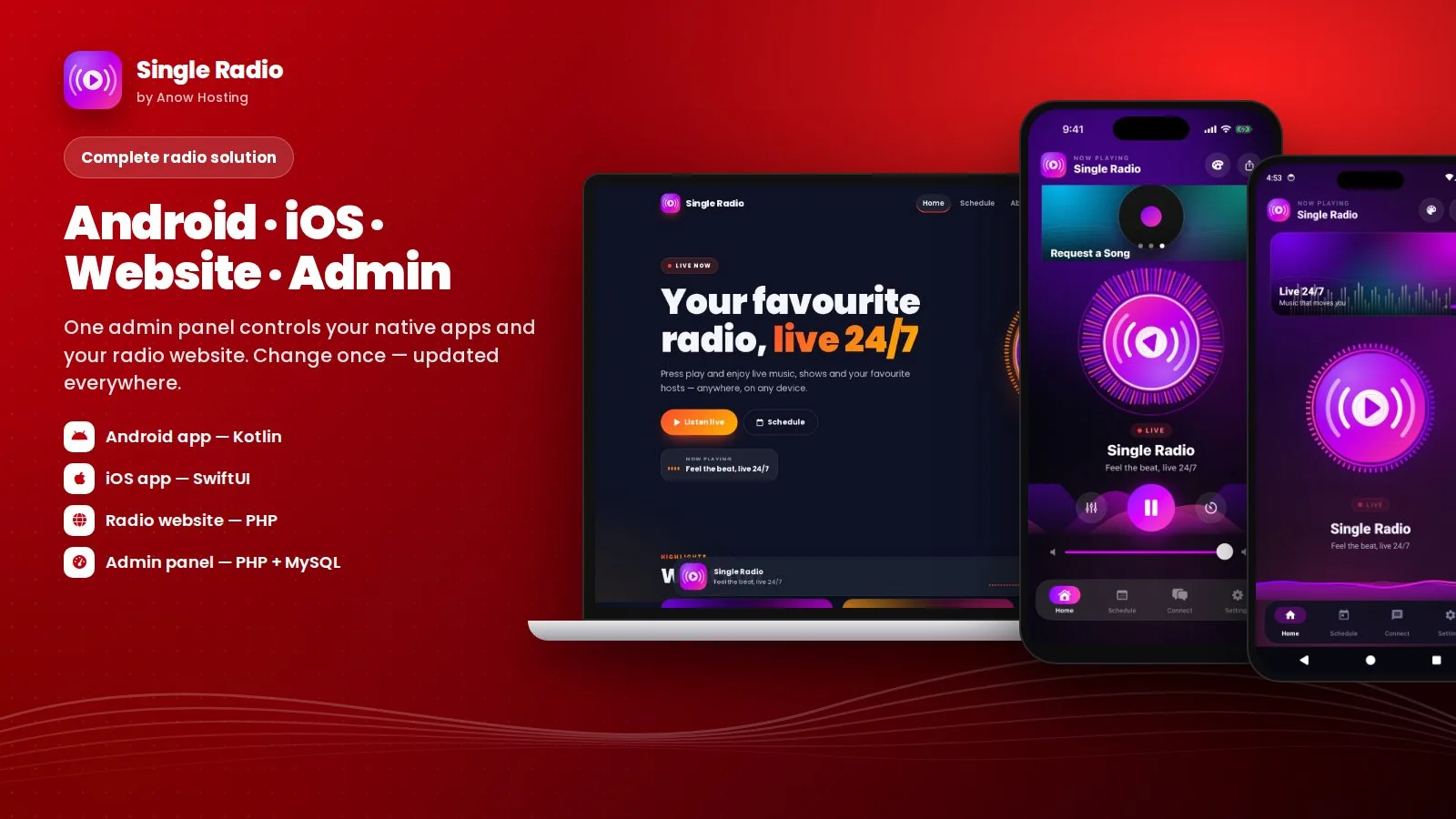
Product overview
Complete live radio solution: native Android (Kotlin) and iOS (SwiftUI) apps plus a PHP radio website, all controlled from one PHP & MySQL admin panel. Visualizer, equalizer, schedule, push, ads and more.
Frequently bought together
Item details
Category
Platform
Files included
.php .html .css
Compatible with
PHP 8.3 PHP 8.4 PHP 8.5
Software framework
Laravel SwiftUI
Database
MySQL 5.7 MySQL 8.0 MySQL 8.4 LTS MariaDB 11.x MariaDB 12.x SQLite 3.x
HTML / CSS framework
Bootstrap
JavaScript framework
Alpine.js
Programming language
PHP JavaScript Kotlin Swift Dart
Version
1.2.0
Support & inquiry
Description
Your radio station on Android, iPhone and the web
Single Radio is a complete live radio solution: a native Android app (Kotlin, Media3), a native iOS app (SwiftUI), a modern radio website (PHP) and one beautiful PHP + MySQL admin panel that controls all of them. Change your stream, logo, colors, slider, schedule, popups, ads or push notifications once — the apps and the website update instantly, without rebuilding.
A premium player
Plays any stream URL — Icecast, Shoutcast, HLS, DASH and playlists — with a rotating logo, a music ring, water waves and spectrum bars that follow the real audio. A real equalizer with presets, bass boost and 3D surround, live song titles, background play with lock-screen controls and a sleep timer.
Native iOS app included
A ready-to-open Xcode project for iPhone and iPad (iOS 16+) with the same features and the same admin panel — built and tested on a Mac.
Radio website included
Home, schedule, about, contact, privacy and terms pages with a sticky player that keeps playing between pages, light and dark mode and SEO tags. Contact messages arrive in the admin panel inbox.
One admin panel for everything
Dashboard with listener statistics, station settings, image slider, gradient color themes with live preview, show schedule, splash screen designer, popup notices, Android and iOS update popups, AdMob / Meta ads, OneSignal push notifications, website settings and messages. A read-only demo mode is built in.
Easy setup
Upload the website and the admin panel to your domain (or only the admin panel if you just need the apps), run the web installer, set your admin URL in the apps and build. Full English documentation with screenshots is included.
Core features
Android app (Kotlin)
- Any stream URL: Icecast, Shoutcast, HLS, DASH, M3U/PLS playlists
- Sound-reactive visuals: rotating logo, music ring, water waves, spectrum bars
- Real equalizer: 12 presets, 5 bands, bass boost, 3D surround, volume boost
- Live song titles (ICY metadata), background play, lock-screen and Bluetooth controls
- Show schedule with "On air now", day strip and timeline
- Image slider, popups, update popup (optional or forced)
- Song requests on WhatsApp, contact tiles and social links
- Unlimited gradient color themes, sleep timer, share and rate
- AdMob and Meta Audience Network ads, OneSignal push notifications
- Targets the latest Android, 16 KB page-size ready
iOS app (SwiftUI)
- iPhone and iPad, iOS 16+, Xcode project
- Visualizer, equalizer, schedule, requests, themes, sleep timer
- OneSignal push with images, AdMob with App Tracking Transparency
- Same admin panel as Android
Radio website (PHP)
- Home, schedule, about, contact, privacy and terms pages
- Player keeps playing while you change pages
- Light and dark mode, mobile friendly, SEO tags and sitemap
- Contact form messages go to the admin inbox
Admin panel (PHP + MySQL)
- Web installer, dashboard with installs and active listeners
- Station, slider, themes, schedule, splash designer, popups
- Android and iOS update popups, ads manager, push notifications
- Website settings and messages inbox
- API key protection, CSRF protection, safe uploads, demo mode
Server requirements
- PHP 8.0 or newer with PDO MySQL, cURL, GD and mbstring
- MySQL 5.7+ or MariaDB 10.3+
- Apache or LiteSpeed hosting (cPanel works) with HTTPS
- A live stream URL (Icecast, Shoutcast, HLS …)
- Android Studio (latest) to build the Android app
- A Mac with Xcode 16+ to build the iOS app
- Optional: OneSignal account (push), AdMob / Meta accounts (ads)
Installation instructions
- Admin panel: upload the
admin-panelfolder to your hosting (for exampleyourdomain.com/admin-panel/), create a MySQL database and open the folder in your browser to run the web installer. - Website (optional): upload the
websitefiles to your domain root and setAPI_BASEinwebsite/config.phpto your admin panel URL. If you only need the apps, install just the admin panel. - Configure: log in to the admin panel and set your station name, stream URL, logo, colors, schedule and slider.
- Android: open
android-appin Android Studio, set your admin URL inAppConfig.kt, change the package name and icon, then build the signed AAB. - iOS: open
ios-app/SingleRadio.xcodeprojin Xcode, set your admin URL inAppConfig.swift, choose your team and bundle ID, then archive. - Full step-by-step documentation with screenshots is in the
documentationfolder.
Changelog
Version 1.2.0
- New native iOS app (SwiftUI) using the same admin panel
- New PHP radio website with light/dark mode and a player that keeps playing between pages
- Admin: website settings, messages inbox, iOS settings, read-only demo mode
- Full English documentation with screenshots
Version 1.1.0
- Equalizer, sleep timer, gradient themes, splash designer and update popup
Version 1.0.0
- Initial release: Android app and PHP admin panel
Reviews
Based on 0 reviews